Frame-accurate
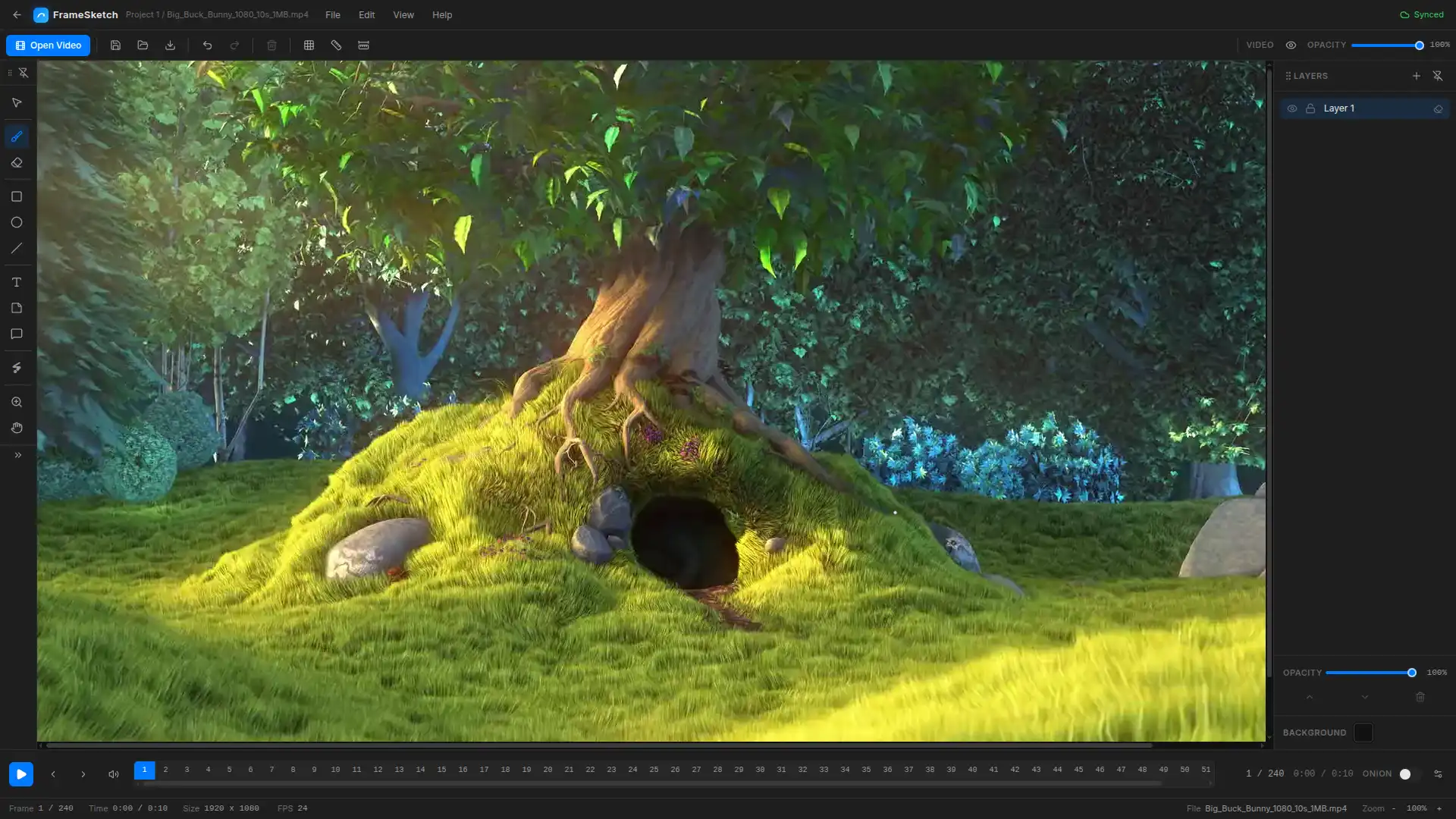
Lines land on the exact frame. Step forward, step back, scrub. The canvas never drifts from the video.
FOR ANIMATORS
FrameSketch is a video annotation tool that lets you sketch right on top of your footage. Step through frames, mark up arcs and poses, and share the file. No uploads. No lag. Just your lines, exactly where you left them.
Free to use. Your footage never leaves your device.
SCRUB THE SECTION
HOW IT WORKS
Any local file. Nothing leaves your machine.
Arcs, breakdowns, sticky notes. Each line is fixed the moment you lift the pen.
One small .fsk file holds every stroke. Email it, open it, keep going.
SEE IT IN ACTION
Five screens, one workflow. Flip through the studio below, or open the full-screen tour.
FEATURES
No animation-suite bloat. Open a file, draw, get back to the shot.
Lines land on the exact frame. Step forward, step back, scrub. The canvas never drifts from the video.
Peek at the frames before and after. Tune the ghosting until it feels right.
Lines are fixed the moment you lift the pen. Your marks stay exactly as drawn, frame after frame.
A whole project is a few hundred kilobytes. Email it, stash it, version it.
Your footage stays on your machine. So does your work.
Annotations follow you across devices. Prefer no cloud? Turn it off. Everything stays local.
THE STUDIO
The tools you reach for mid-review, built in. No plugins, no export roulette, no timeline lag.
Walk the footage frame by frame, mark a stretch, and play just that range on a loop.
Stack strokes, shapes, and notes on real layers. Reorder them, hide them, and dial in each layer opacity.
Sticky notes and comment markers pinned right on the frame. Move, resize, recolor, and edit them anytime.
Rectangular or isometric grids, drawn as dots or lines. Drag guides out of the rulers to line your marks up where you need them.
Zoom into the detail, pan around the shot. Your marks stay exactly where you left them.
One project, many scenes. Every scene sits on a solid background layer, so you can hide or dim the video anytime.
WHY ANIMATORS STAY
FrameSketch runs entirely on your machine. Cloud sync is optional, and it only carries annotations. Your footage never moves.
100 %
local. Your footage never uploads
1 file
carries a whole project (.fsk)
0 lag
frame-accurate canvas sync
VIDEO FORMATS
The file picker lists what your platform can really play. Nothing is re-encoded or uploaded: FrameSketch reads the file straight from your machine.
H.264 in an MP4 container. Plays on every platform, browser and desktop.
QuickTime container. H.264 content plays everywhere.
The same H.264 core as MP4. Plays where MP4 plays.
Open VP8/VP9 codec. Plays on Windows, Linux, and Chromium. On macOS, use MP4 or MOV.
Anything else? Convert it once to H.264 MP4 and it will play anywhere.
START SKETCHING
Free to use. Your first arc takes about ten seconds.
Works in the browser. Desktop apps for Windows and Linux are coming soon.